 KanbanCord
The Discord Activity: your boards inside Discord
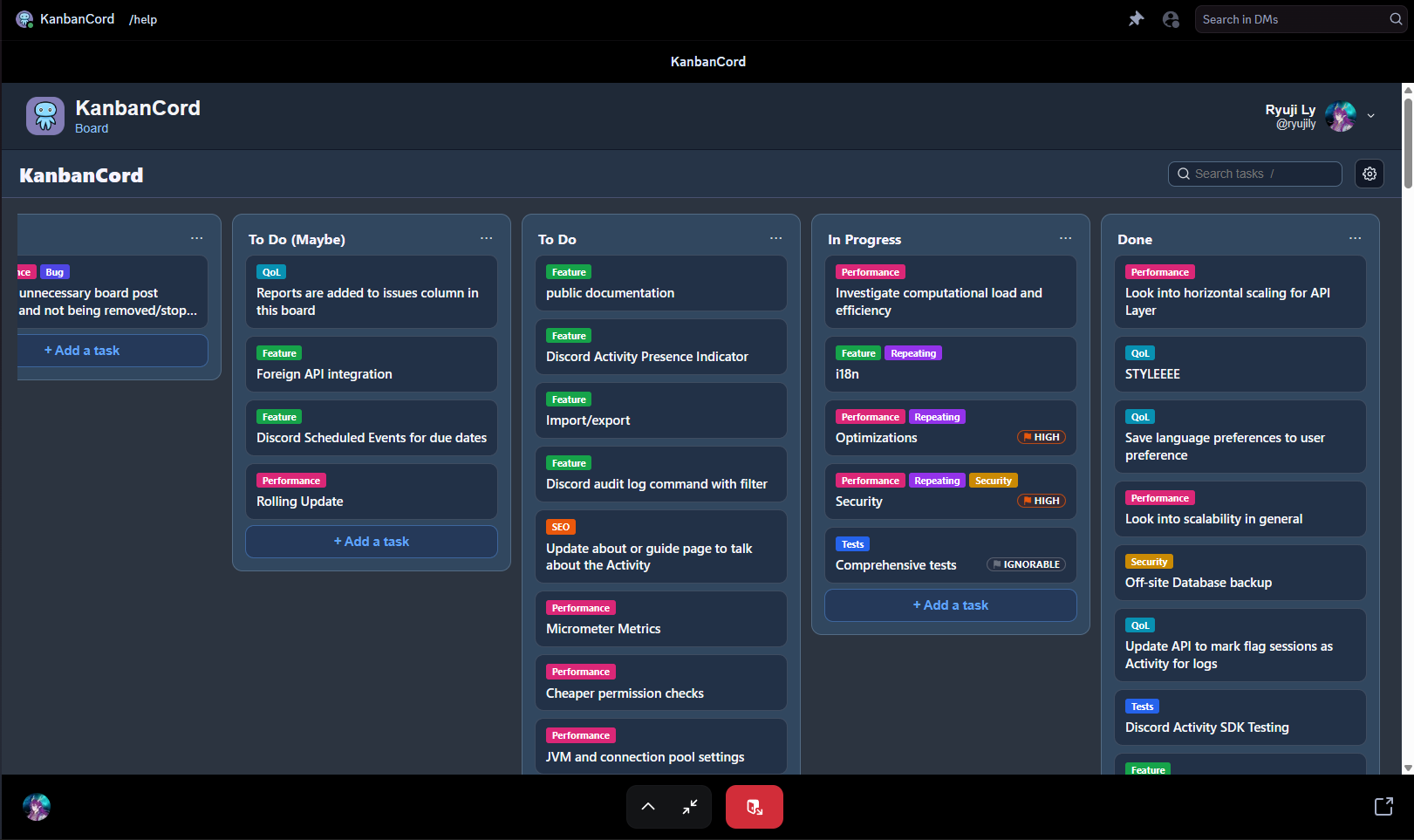
The KanbanCord Activity is the website, opened inside Discord. Start it in a voice call to plan together on the same board, or on your own from any text channel. There is nothing to install and no separate sign-in: Discord signs you in.
Start it
- In a voice channel: join the call, open the Activities menu (the rocket button) and choose KanbanCord. Everyone in the call can join in.
- In a text channel: open the app launcher beside the message box and choose KanbanCord.
- The first time, Discord asks you to let KanbanCord know who you are. After that, it opens straight away.
What you can do
- Opens on your server: started in a server, it goes straight to that server's boards.
- Everything the website does: drag and drop, search and filters, the task panel, and the board and server settings.
- Live for everyone: when anyone moves a card, in the Activity, on the website or with a command, it moves for everyone straight away.
- See who is with you: the faces of everyone else in the same Activity appear at the top.
- The same permissions as everywhere else: you see and change exactly what you can on the website and with commands.
Good to know
- It uses Discord's language, unless you picked one on the website.
- Links to other sites open in your browser. Discord asks first, just as it does for links in chat.
- Changes made in the Activity are recorded in the audit log like any other.
More guides
- Getting started: a kanban board in your Discord server · Add the bot, create your first board and your first tasks.
- A shared to-do list for your Discord server · A todo list everyone in the server can see, update and tick off.
- Assigning tasks and sharing work in Discord · Give tasks to people or roles, and keep them in the loop.
- Due dates and reminders in Discord · Deadlines, and reminders before they pass.
- Organising tasks with labels and priorities · Coloured labels and priority levels to sort your tasks.
- Keeping your team up to date: board posts and update feeds · A live board in a channel, or a post for every change.
- Update feeds and task threads in Discord: set up, fine-tune and fix · Feeds, mentions and a thread per task, step by step.
- Roles and permissions: who can see and change each board · Discord roles from the start, fine-tuned per board and per person, with worked examples.
- The website: every board at a glance · Drag and drop, search, filters and more, live with Discord.