 KanbanCord
Due dates and reminders in Discord
Deadlines slip when nobody sees them coming. KanbanCord gives tasks due dates and reminds the people on them by direct message before a task is due and when it is overdue, so your to-do list does not quietly fall behind.
Switch on due dates
A server manager runs /kanbancord features and picks Due dates. Boards can switch it off again for themselves on the website.
Set a due date
When you create a task, the form asks when it is due. For an existing task:
/task due board:Sprint task:Fix login when:tomorrowwhen understands today, tomorrow, in 3 days, in 2 weeks, in 5 hours, or a date like 2026-10-01 or 2026-10-01 17:00. A date alone is due at the end of that day. Use none to remove the due date. Times you type in Discord are in UTC; Discord then shows every due date in each reader's own time zone, and on the website you pick dates in your own.
Reminders
The people on a task get a direct message when it is due within a day, and again once it is overdue. Each reminder is sent once per due date: change the date, and the reminders start over. Tasks in a board's last column count as done and get no reminders.
Who is reminded? Everyone who hears about the task: the people assigned to it, whoever created it, and anyone following it. Each person can turn reminders off with the rest of their direct messages in /notifications, or on the website.
An update feed can post reminders in a channel too, mentioning the people on the task. They are off in new feeds; switch them on in the feed's settings on the website.
Seeing what is due
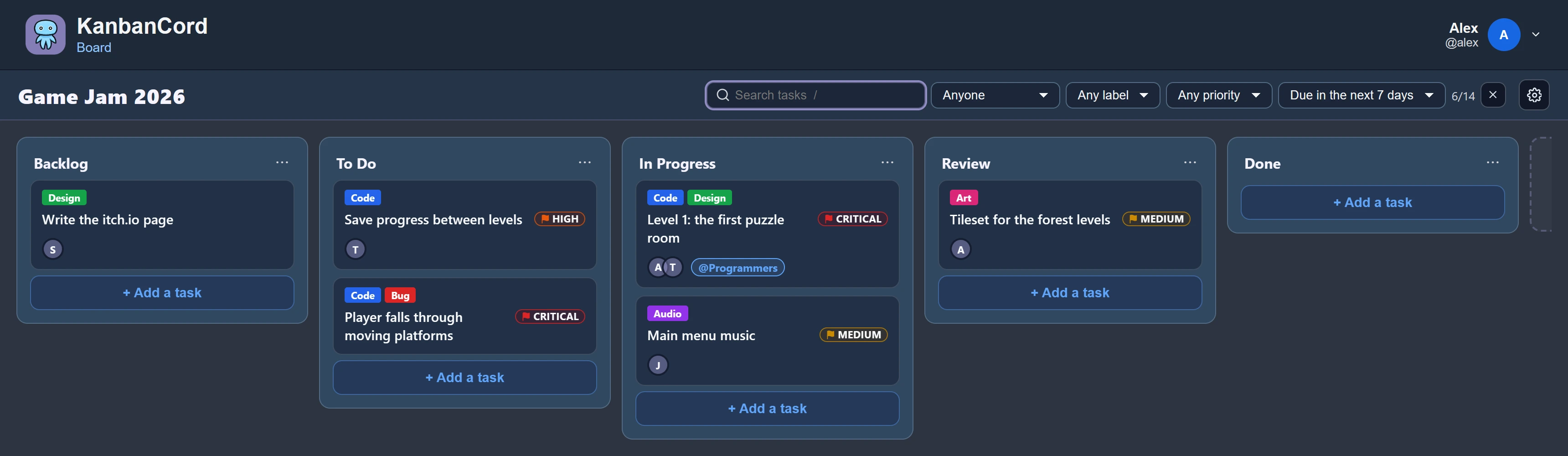
Task lists in Discord show each task's due date as “in 2 days” or “3 hours ago”. On the website, filter a board to overdue tasks or those due in the next seven days.
More guides
- Getting started: a kanban board in your Discord server · Add the bot, create your first board and your first tasks.
- A shared to-do list for your Discord server · A todo list everyone in the server can see, update and tick off.
- Assigning tasks and sharing work in Discord · Give tasks to people or roles, and keep them in the loop.
- Organising tasks with labels and priorities · Coloured labels and priority levels to sort your tasks.
- Keeping your team up to date: board posts and update feeds · A live board in a channel, or a post for every change.
- Roles and permissions: who can see and change each board · Discord roles from the start, fine-tuned per board and per person.
- The website: every board at a glance · Drag and drop, search, filters and more, live with Discord.